


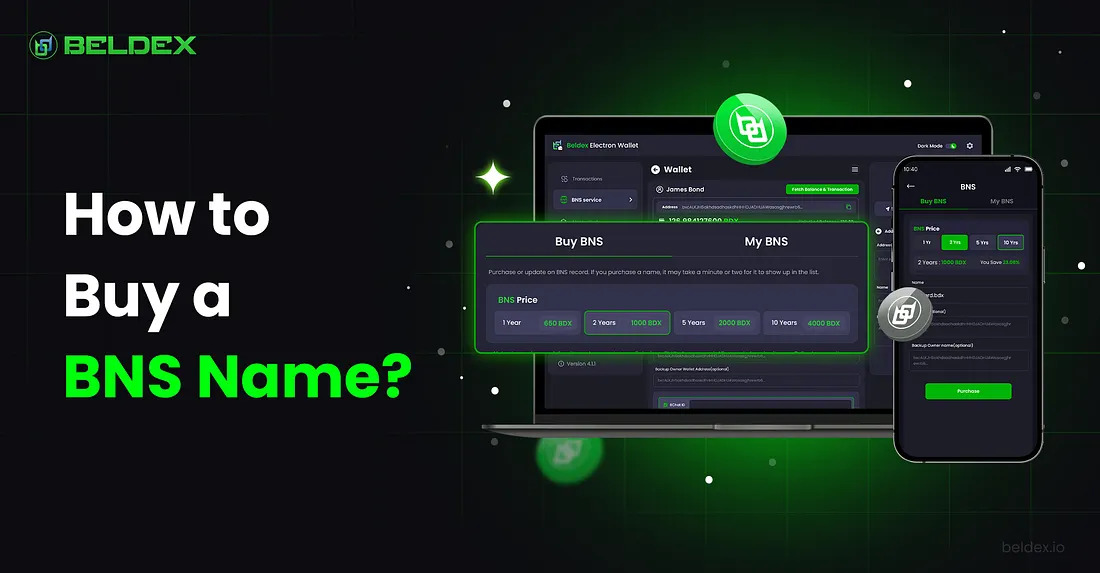
Identity is as crucial as privacy in the decentralized web. You can generate a human-readable identity with the Beldex Name Service (BNS) instead of long, incomprehensible wallet addresses.
Beldex Name Service (BNS) names like @yourname.bdx can replace BelNet addresses, BChat IDs, and Beldex wallet’s alphanumeric wallet strings. This streamlines browsing, transactions, and connections, improving usability and privacy.
How do you buy a BNS name? Let’s take a look at it.
BNS for BChat
BNS for BChat replaces the BChat ID. The BNS name becomes your BChat ID. BChat private messenger users can use their BNS name instead of their BChat ID to contact their friends.
BNS for BelNet
BelNet’s BNS domain name service lets you operate censorship-free web apps. BelNet addresses are tagged to BNS domains. Connecting to BelNet lets you access MNApps hosted using the BNS domains.
BNS for Beldex Wallet
The Beldex wallet uses the BNS name as the wallet address. The BNS name attached with your wallet address lets you send and receive BDX.
BNS for ETH & EVM Addresses (NEW!)
BNS names can be mapped to your ETH address or any compatible EVM wallet address to send and receive any EVM token.
How to Buy A BNS Name?
Step 1: Install a Beldex Wallet ⬇️
BNS names can be bought and managed with the Beldex Electron Wallet (desktop), the Beldex Mobile Wallet, or the Command Line Interface (CLI) wallet. Through these wallets, you can register, manage, and use your BNS name across many devices.
You can purchase BNS names via:
- Beldex Electron Wallet (Windows, MacOS, & Linux)
- Beldex Mobile Wallet (Android & iOS)
- CLI Wallet (Windows, MacOS, Linux)
Make sure you’re using the latest version that supports BNS services.
You can find the latest version of the wallets here: https://www.beldex.io/ (check footer)
Step 2: Fund Your Wallet with $BDX 🪙
Beldex’s native cryptocurrency, BDX, is used to buy BNS names. To pay for registration, deposit enough $BDX into your wallet.
Open your Beldex Electron/Mobile Wallet.
From the left panel, click on ‘BNS Service’.
You’ll see two tabs:
- Buy BNS — to purchase new BNS names
- My BNS — to manage the BNS names you already own

Go to the BNS Service Tab
Step 3: Navigate to the BNS Registration Section 👉
Select the ‘Buy BNS’ tab.
Find available names from https://explorer.beldex.io
- See if your BNS name is already taken.
- Enter the BNS name in the search bar.
- If available, you’ll see YES for BChat, Wallet, BelNet and ETH availability.

Check BNS name availability from explorer.beldex.io
Step 4: Navigate to the ‘Buy BNS’ Tab 👇
You need to check the time period and registration fee before proceeding. Under the ‘Buy BNS’ tab, you can select the time period:
- 1 year → 650 BDX
- 2 years → 1000 BDX (23.08% discount)
- 5 years → 2000 BDX (38.47% discount)
- 10 years → 4000 BDX (38.47% discount)
Step 5: Map Your BNS Name ↔️
Enter your BNS name (e.g., @alice or @beldex). If available, you can reserve it immediately.
Enter the BNS Name of Your Choice

In the ‘Buy BNS’ tab:
- Owner Wallet Address → The wallet account that manages the BNS name. If left blank, your current wallet will be the owner.

Set Owner Wallet Address
Use a wallet starting with bx… (main Beldex wallet address). Avoid sub-addresses, integrated addresses, or exchange wallets (these aren’t reliable and may not work in certain scenarios).
- Backup Owner Wallet Address → Optional field in case your primary owner wallet is lost.
- Resolving Wallet Address → The wallet address mapped to your BNS name, where funds sent to your name will actually go. This address CAN BE DIFFERENT from your owner wallet address.
- BChat ID → The BChat ID is mapped to your BNS name. Once mapped, you no longer have to share your BChat ID with your friends. Your BNS name would suffice. Your friends can connect with you on BChat just by searching for your BNS name.

Set Resolving Wallet Address & BChat ID
- BelNet ID → The BelNet ID is mapped to your BNS domain (the BNS name functions like a domain here, e.g. https://shawn.bdx/). You can host your website using the BNS domain. It can be accessed on the Beldex Browser or on other browsers by connecting to BelNet first.
- ETH Address → Your ETH address (or any EVM address) can be mapped to your BNS name which lets you send & receive ETH or any EVM token.

Set Resolving BelNet ID & ETH Address
Below is a simple video guide on how to register your BNS Name & Domain:
Step 6: Register Your BNS Name On Chain ⛓️
- Verify your name once again and click the ‘Purchase’ button.
- A confirmation pop-up will show your BNS name, subscription plan, owner wallet, resolving wallet, mapped IDs (BChat ID, BelNet ID), as well as the ETH address.
- Confirm to complete your purchase.
- If you have the required $BDX for registration, it will be deducted from your wallet and your name will be registered against your wallet address.

Purchase BNS Name
Once confirmed:
- Your wallet will display your purchased BNS names.
- The BNS name will work instantly in BChat for anonymous messaging, BelNet for hosting private websites, Beldex wallet for receiving $BDX with ease, and ETH compatible wallets for receiving ETH and other EVM tokens (if the wallet supports BNS names).
- Though only official Beldex wallet supports BNS names at the moment, third-party wallet integrations are on the way.
Step 7: Verify Your BNS Name ✅
- Go back to explorer.beldex.io and search your BNS name.
- You’ll see your Wallet Address (owner wallet address & resolved wallet address), BChat ID, BelNet ID and your ETH Address mapped to it.
- Or check under ‘My BNS’ in your Electron Wallet (may take time to sync; restart if needed).
Step 8: BNS Name Management and Trading ⚙️
BNS name control is complete after acquisition. You may:
- Identify yourself across Beldex.
- Renewal: Renew your BNS name/domain to maintain ownership. Note down the date & time or the block height for renewal.
- The renewal/expiration height will be shown on the Beldex explorer.
- Make your digital identity valuable by selling or trading it on the BNS Secondary Marketplace (a work in progress, updates coming soon!).
- Transfer of ownership: You can update the owner wallet address by using the ‘Transfer Ownership/Update Mapping’ option. A flat 50 BDX transfer fee is applicable.
TIP 😉
To Preserve Anonymity in BNS:
- Do NOT choose your given name as your BNS name
- Do NOT choose your family name as your BNS name
- Do NOT choose your personally identifying information as your BNS name
- Choose only a pseudonym as your BNS name
BNS Fee is Burned 🔥
The BDX used to register BNS names is burned. 🔥
All future renewal fees and transfer fees are also burned. 🔥
This creates a positive feedback loop and a deflationary effect on the network’s native token, $BDX.
Get yourself a BNS name to secure your identity in a decentralized, privacy-first future. Your BNS name makes you distinctive across the Beldex ecosystem.
#DecentralizedIdentity #BNS #BeldexNameService #BlockchainIdentity #DDNS
 Listen

 back to blog