


What is Clipboard Hijacking?
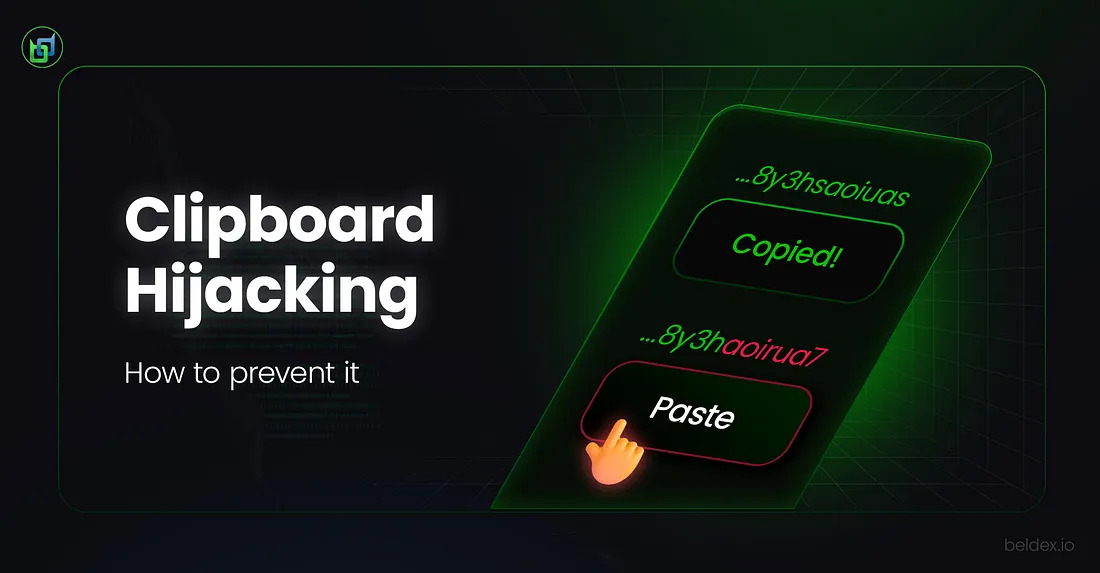
Clipboard hijacking is a malicious technique employed by hackers to steal personal data, usually sensitive crypto wallet and banking information. It makes use of malicious software that replaces the contents of your clipboard the moment you copy sensitive data, for example, a crypto wallet address.
How Does it Work?
When a crypto wallet address or an account number is copied, attackers stealthily and instantly replace it with a different but similar looking address in the background before it is pasted. Now, any funds transferred will be sent to the attacker’s wallet address.
How Is It Injected?
Fake Software Downloads
Hackers often disguise harmful software programs as useful apps. It might be a “free PDF converter” or an “mp4 to mp3 converter.” Once the program is installed, it secretly monitors your clipboard. If you copy a bank account number or crypto address, it swaps it with one controlled by the attacker.
Booby-trapped Websites
Certain websites mask malicious code in ads or pop-ups. The moment you copy text on the page, say, a promo code, or an email, or even a wallet address, the malicious code can sneak in and replace it with the hacker’s email or wallet address before you paste it.
Deceptive Emails and Messages
Phishing attempts don’t always ask for your password outright. A convincing email from a “delivery service” might link you to a fake tracking page. The page could silently load malware that hijacks your clipboard the next time you copy payment info.
Shady Browser Add-ons
Not every extension in the Chrome or Firefox store is trustworthy. You have to double check the publisher before adding the extension to your browser. Some “productivity tools” quietly ask for access to your clipboard. If they’re compromised tools or built with bad intent, then they can change whatever you copy without you ever noticing it.
Though the technique is simple and could be thwarted if the users were aware of it, more often than not, people who don’t double check the confirmation screen pop-ups (while initiating transactions), verify the authenticity of websites or publishers, or don’t have robust second layer security, often fall for it.
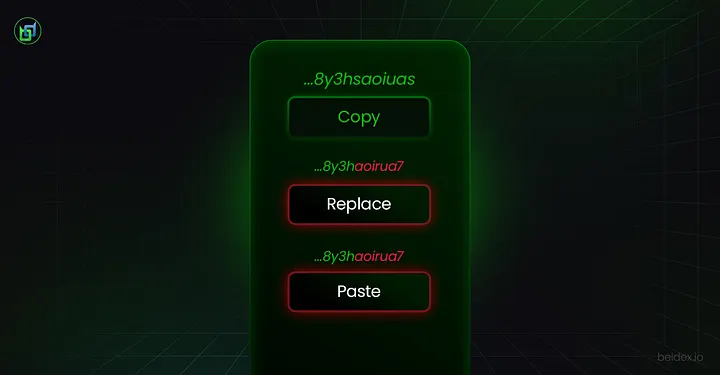
3 Steps in Clipboard Hijacking
Risks of Clipboard Hijacking
While the attack itself is simple and can be easily thwarted, it still poses a very high-risk for high-volume transactions.
If you’re in a hurry, unsuspecting of the fact that your software wallet is infected with a malicious code, you’d hastily transfer crypto to the hacker’s wallet.
Critical Supply Chain Attack: Billions at Risk, Losses Averted
A major NPM account of a well-known JavaScript developer was hacked just a few days ago.
This hack was so critical because the NPM packages in question were downloaded more than 2 billion times.
This meant that virtually every other software wallet online uses it. The attack was so widespread that it affected potentially all blockchain networks.
- Though the primary targets were crypto-based software wallets, it also had the potential to siphon social media passwords and sensitive banking information.
- Even hardware wallets were only safe as long as they were not connected to the Internet.
Which Networks Were Affected in the Recent Attack?
Ethereum, Solana, Sui and a few other EVM based networks were affected.
Reports suggested that some of the software wallets on these networks may have used an outdated version of the NPM package.
The attackers installed a crypto-clipper, a kind of malware that quietly swaps wallet addresses during transactions to steal funds.
While apps that used the older versions of the NPM package were affected, the ones that used newer versions of the packages were immune to this vulnerability.
However, losses due to this attack seems to have been minimal, with users losing only around $50 in USD. ETH and Memecoins were among the small crypto that were stolen.
Was the Beldex Network Affected & Why?
Attackers love supply-chain vulnerabilities since it targets the source and therefore, every other wallet that’s using the malicious package.
But the Beldex network was largely not affected. Beldex software wallets were using the latest version of the NPM packages. Wallets like the Beldex mobile wallet and the CLI wallet do not use JS, and thus were outside this attack vector.
However, our devs were cautious. They screened the Beldex Electron Wallet (desktop wallet) and found no vulnerable software. All packages used were the latest version of the software.
Beldex addresses are also uniquely structured, making them harder to spoof or replace. When combined with the network’s layered security measures, this significantly strengthens resilience against clipboard hijacking and similar attacks.
How to Protect Yourself From Clipboard Hijacking?
- Double check the confirmation screen. If you’re using anything other than an ENS name or a BNS name, then it is advisable to check the ‘to address’ letter by letter.
- Address Whitelisting. With address whitelisting in place, attacks like clipboard hijacking become meaningless. Since there’s no need to copy and paste the address. While this is true for bank accounts, centralized crypto wallets and crypto exchanges, decentralized software wallets usually do not provide such features, and the confirmation pop-up screen becomes the user’s last line of defence against such attacks.
- Set up two-factor authentication: If your wallet supports this feature, then set up two-factor authentication via email or sms. This is similar to the confirmation pop-up screen, giving you time to pause and check the address you’re sending your funds to.
- If you’re transacting BDX, then ensure that you send funds to your saved contacts (the Beldex wallet, both the mobile and desktop versions, support the ‘save contact’ feature).
Conclusion
Clipboard hijacking might seem like a simple trick, but its impact can be devastating — especially in the fast-moving world of crypto transactions. The recent NPM supply-chain incident highlights just how quickly such vulnerabilities can spread across ecosystems.
The best defense is proactive vigilance: double-check every transaction, use whitelisting and two-factor authentication where possible, and rely on networks that prioritize strong security architectures. With its robust design and protective measures, Beldex demonstrates how ecosystems can stay resilient against evolving attack vectors, ensuring users can transact with confidence.
 Listen

 back to blog